FPV ·
How to Diagnose an FPV Control-Link Dropout
An FPV quad hesitates during a pass. Was it the control link, a video breakup, or an aircraft response? On 10 November, a Betaflight contributor opened a change to correct how ExpressLRS resynchronizations are recorded. The proposal is still open as of 15 November. It is a timely reminder to record the firmware version before interpreting a log.
ExpressLRS distinguishes link quality, the share of control packets received, from RSSI, which measures received signal strength. Read the two together. A strong signal can coexist with packet loss, and RSSI needs context because receiver sensitivity varies with packet rate.
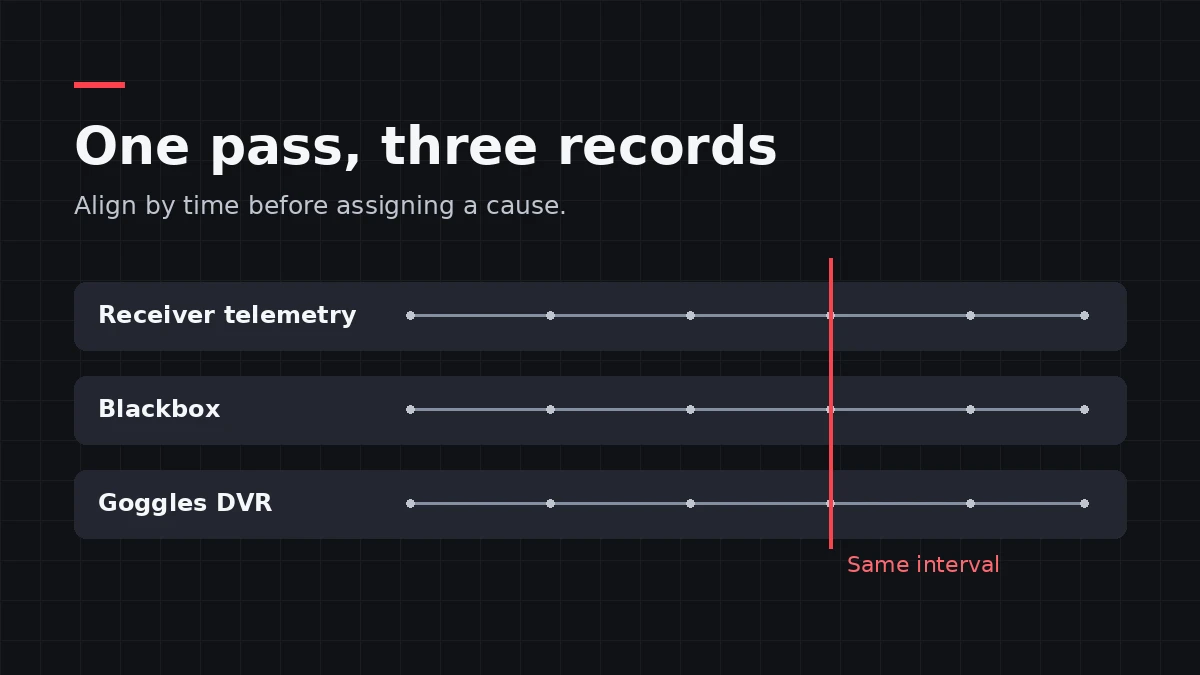
Before a controlled test flight, record the transmitter and receiver firmware, packet rate, antenna placement, and Betaflight version. Confirm that the radio is logging the link metrics you need and that Blackbox has enough storage. Capture the goggles DVR if available. Use the arming tone to align Blackbox and recorded audio when both capture it. Compare the suspect interval across receiver telemetry, stick commands and video before assigning a cause.
Practical takeaway. Save a short baseline run before changing hardware or firmware. Change one variable, repeat the same pass within the approved test area, and keep the paired logs. If the symptom returns, you can compare the two runs while the configuration is still known.